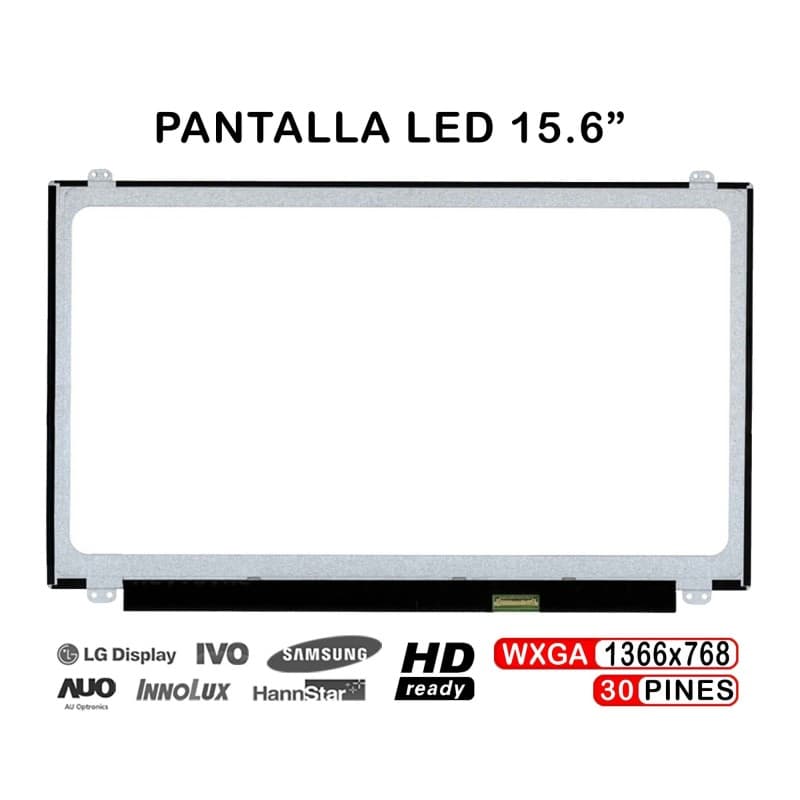
Écran LED Mat 15.6" pour Acer Aspire ES1-572
Tamanho
15.6 polegadas
Tipo de Painel
LED Mate
Resolução
HD
Acabamento
Anti-reflexo
Écran LED mat 15.6" pour Acer Aspire ES1-572 Series. Produit neuf et scellé, jamais utilisé, prêt pour un remplacement immédiat de votre ordinateur portable. Panneau d'affichage haute qualité avec compatibilité parfaite.
Caractéristiques Principales
- Taille: 15.6 pouces résolution HD
- Type: Panneau LED mat antireflet
- État: Neuf scellé avec 0 cycles
- Compatibilité: Acer Aspire ES1-572 toutes variantes
- Installation: Remplacement simple et rapide
Compatible Avec
- Acer Aspire ES1-572
- Acer Aspire ES1-572-31XL
- Acer Aspire ES1-572-34JK
- Acer Aspire ES1-572-39HQ
- Acer Aspire ES1-572-330E
- Acer Aspire ES1-572-30d4
- Acer Aspire ES1-572-357c
- Acer Aspire ES1-572-38wv
Pourquoi RM TechStore?
- Garantie 12 mois
- Livraison Portugal et Europe
- Magasin physique à Lisbonne
How to replace the screen
General steps to replace a laptop screen. The way it's held (bezel, tape, screws) changes by model — we can swap it for you and test it if you prefer.
Tools
- 🔧 Small Phillips screwdriver
- 🔧 Plastic spudger/pick
- 🔧 Thin adhesive tape (to re-seat)
Step by step
- 1
Unplug the laptop and the charger.
- 2
Remove the rubber covers and bezel screws (if any) and release the bezel with the spudger.
- 3
Remove the screws holding the panel to the hinges and tilt the panel forward carefully.
- 4
On the back, peel the tape and unplug the flat cable (LVDS/eDP) from the panel.
- 5
Connect the flat cable to the new panel, secure it with tape and screw the panel to the hinges.
- 6
Before clipping the bezel back, power on and check the image (no lines, no dark areas). Then refit the bezel.
Good to know: Screens crack easily — work on a flat surface and don't press the panel. Always confirm the panel model is compatible before fitting.
Rather we fit it? We do it for you in store in Entrecampos, Lisbon.
Produits associés
Écran pour Portable eMachines EM355 10.1" WSVGA 40 Broches
Écran LED 10.1" pour Portable eMachines EM250 EM350
Écran pour Portable eMachines 250 Netbook 10 Pouces
Écran LCD 15.6" pour Portable eMachines E625 E725 E627
Écran LCD 15.6" pour Ordinateur Portable Emachines E525 E510 E520