
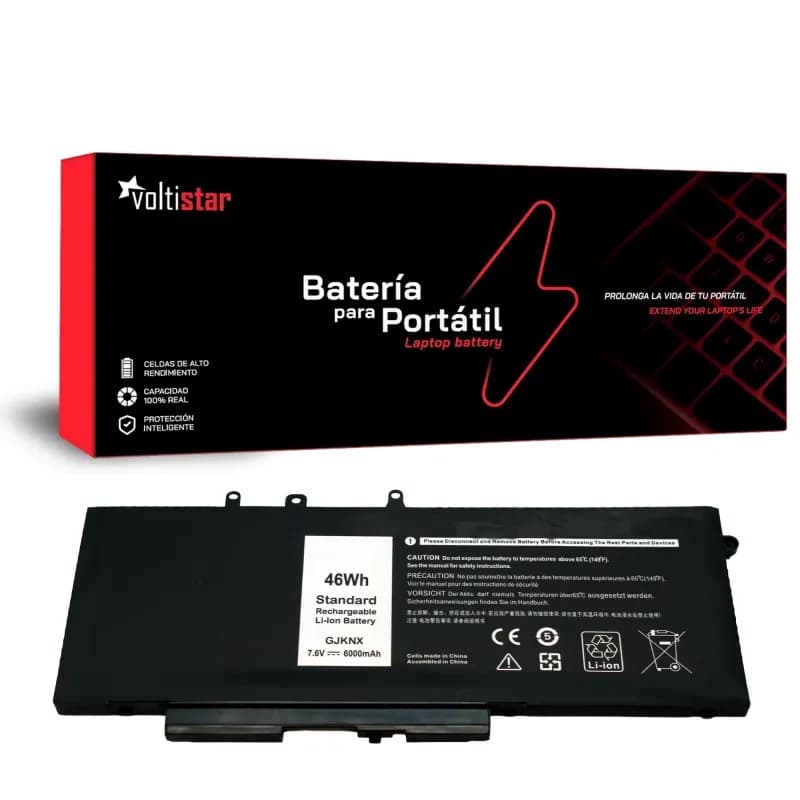
Batterie Voltistar pour Dell Precision M3520 M3530 Series - Neuve
Marca
Voltistar
Condição
New - Sealed - 0 Cycles
Garantia
12 months
Envio
Portugal & EU
Batterie Voltistar authentique pour Dell Precision M3520 et M3530, toute neuve et scellée avec 0 cycles. Compatible avec plusieurs modèles Dell Latitude et Precision haute performance en Europe.
Caractéristiques Principales
- Condition: Neuve et scellée, jamais utilisée
- Protections Électroniques: Surcharge, surtension, décharge profonde et protection thermique
- Certifications: CE et RoHS
- Large Compatibilité: Dell Latitude 5580/5590/5591/5593 et Precision 15 3530
- Qualité Garantie: Garantie 12 mois en Europe
Compatible Avec
- Dell Precision M3520 Series
- Dell Precision M3530 Series
- Dell Precision 15 3530
- Dell Latitude 5580/5590/5591/5593
- Dell Latitude 15 Series
- HP EliteBook x360 830 G7/G8
- Dell Inspiron 14/15R/17R/18
- Dell Vostro 3750
Pourquoi RM TechStore?
- Garantie 12 mois
- Livraison rapide Portugal et UE
- Magasin physique à Lisbonne
How to replace the battery
General steps to replace a laptop battery. Screw layout and position vary by model — if in doubt, we can do it for you in store.
Tools
- 🔧 Small Phillips screwdriver
- 🔧 Plastic spudger
- 🔧 Clean, anti-static surface
Step by step
- 1
Shut down the laptop and unplug the charger. Let it cool.
- 2
External battery: slide the latches and remove it. Internal battery: remove the bottom-cover screws and gently pry the cover open with the spudger.
- 3
Find the battery connector on the board and unplug it by the plug (never pull the wires).
- 4
Remove the screws holding the battery and lift it out without bending it.
- 5
Fit the new battery in the same position, screw it down and reconnect the connector.
- 6
Close the cover, power on and charge to 100% before first use.
Good to know: Never force or pierce a swollen battery. If it's deformed, bring it in — we handle the swap and safe recycling.
Rather we fit it? We do it for you in store in Entrecampos, Lisbon.
Produits associés

Batterie Voltistar pour Dell Latitude D620 D630 D631 Precision M2300

Batterie Voltistar pour Dell Latitude E6420 Inspiron 15R 17R

Batterie Voltistar pour Dell Inspiron 14 INS14NSVD-2408

Batterie Voltistar pour Dell Latitude 6430U 6FNTV 312-1424

Batterie pour Dell XPS 14, 15, 17 Voltistar 4400mAh 10.8V
