
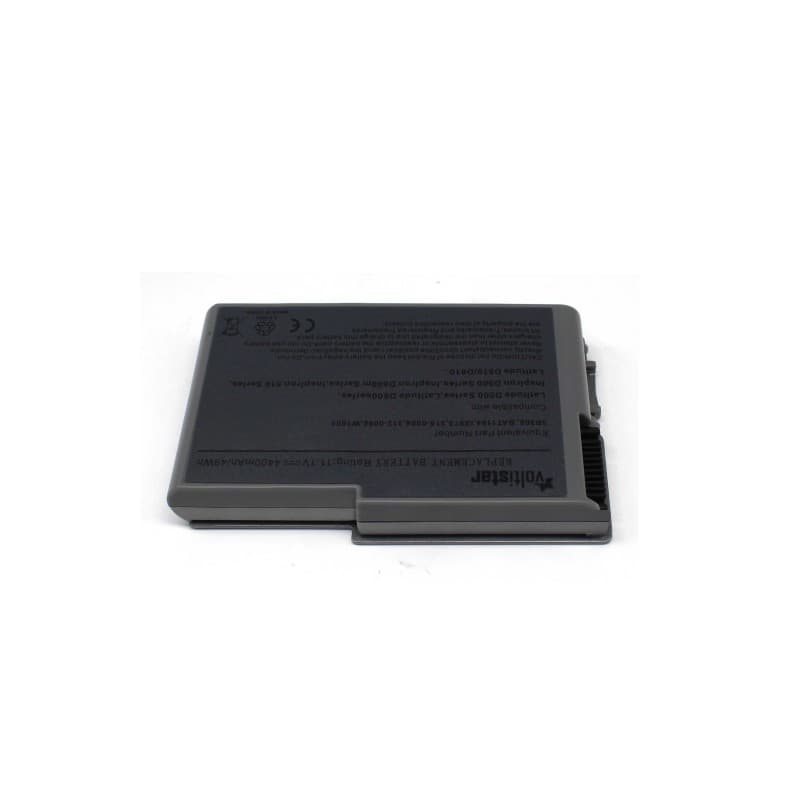
Batterie Voltistar pour Dell Latitude D500 D505 D510 D520 D600 D610
Marca
Voltistar
Condição
New / Sealed - 0 cycles
Garantia
12 months
Proteção Térmica
Yes - Temperature monitoring & cutoff
Batterie de remplacement Voltistar entièrement compatible avec les séries Dell Latitude et Inspiron D500-D610. Neuve et scellée avec protections avancées et certifications CE/RoHS.
Caractéristiques Principales
- Protection contre la Surcharge: Gestion intelligente de la charge prolonge la durée de vie
- Protection Thermique: Surveillance continue avec arrêt automatique par température
- Protection contre Décharge Profonde: Safeguard cellulaire avec disjoncteur automatique
- Certifications: CE et RoHS approuvées pour conformité européenne
- Neuve et Scellée: Zéro cycle, jamais utilisée
Compatible avec
- Dell Latitude D500, D505, D510, D520, D530
- Dell Latitude D600, D610
- Dell Inspiron 500M, 600M
- Dell Precision M20, M430
- Dell Latitude E6220, E6230
- Dell Inspiron 13R, 14R, 15
Pourquoi RM TechStore?
- Garantie 12 mois
- Livraison 24h Portugal et Europe
- Magasin physique à Lisbonne
How to replace the battery
General steps to replace a laptop battery. Screw layout and position vary by model — if in doubt, we can do it for you in store.
Tools
- 🔧 Small Phillips screwdriver
- 🔧 Plastic spudger
- 🔧 Clean, anti-static surface
Step by step
- 1
Shut down the laptop and unplug the charger. Let it cool.
- 2
External battery: slide the latches and remove it. Internal battery: remove the bottom-cover screws and gently pry the cover open with the spudger.
- 3
Find the battery connector on the board and unplug it by the plug (never pull the wires).
- 4
Remove the screws holding the battery and lift it out without bending it.
- 5
Fit the new battery in the same position, screw it down and reconnect the connector.
- 6
Close the cover, power on and charge to 100% before first use.
Good to know: Never force or pierce a swollen battery. If it's deformed, bring it in — we handle the swap and safe recycling.
Rather we fit it? We do it for you in store in Entrecampos, Lisbon.
Produits associés

Batterie Voltistar pour Dell Latitude D620 D630 D631 Precision M2300

Batterie Voltistar pour Dell Latitude E6420 Inspiron 15R 17R

Batterie Voltistar pour Dell Inspiron 14 INS14NSVD-2408

Batterie Voltistar pour Dell Latitude 6430U 6FNTV 312-1424

Batterie pour Dell XPS 14, 15, 17 Voltistar 4400mAh 10.8V
