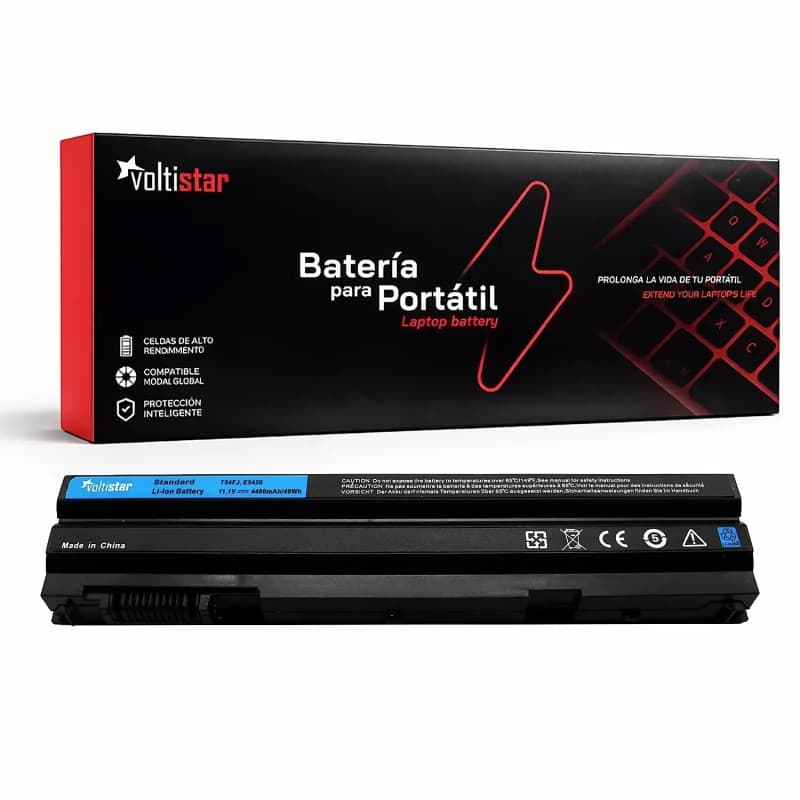
Batería Voltistar para Dell Latitude 6430U 6FNTV 312-1424
Primary Model
Dell Latitude 6430U
Marca
Voltistar
Condição
New - Sealed (0 cycles)
Preço
€58.20
Batería de reemplazo Voltistar de alta calidad para Dell Latitude 6430U. Nueva y sellada con protecciones electrónicas avanzadas y certificaciones CE/RoHS para máxima seguridad y durabilidad.
Características Principales
- Protección Contra Sobrecarga: Gestión inteligente de carga para prolongar la vida útil
- Monitoreo Térmico: Control de temperatura en carga con corte automático de seguridad
- Protección Contra Descarga Profunda: Mecanismo automático de protección de celdas
- Certificado CE y RoHS: Estándares de calidad europeos y cumplimiento ambiental
- Compatibilidad Ampliada: Compatible con Precision, Inspiron, Latitude y otros portátiles
Compatible Con
- Dell Latitude 6430U Ultrabook
- Dell Precision 7530, 7730, 7540, 7740
- Dell Inspiron 5410, 5415, 5418
- Dell Latitude 7310, E6220, E6230
- Dell Latitude 3420, 3520, E3420
- Dell Latitude E5420, E5520
¿Por qué RM TechStore?
- Garantía até 3 anos (novos) / 18 meses (recondicionados)
- Envío 24h a Portugal y Europa
- Tienda física en Lisboa
How to replace the battery
General steps to replace a laptop battery. Screw layout and position vary by model — if in doubt, we can do it for you in store.
Tools
- 🔧 Small Phillips screwdriver
- 🔧 Plastic spudger
- 🔧 Clean, anti-static surface
Step by step
- 1
Shut down the laptop and unplug the charger. Let it cool.
- 2
External battery: slide the latches and remove it. Internal battery: remove the bottom-cover screws and gently pry the cover open with the spudger.
- 3
Find the battery connector on the board and unplug it by the plug (never pull the wires).
- 4
Remove the screws holding the battery and lift it out without bending it.
- 5
Fit the new battery in the same position, screw it down and reconnect the connector.
- 6
Close the cover, power on and charge to 100% before first use.
Good to know: Never force or pierce a swollen battery. If it's deformed, bring it in — we handle the swap and safe recycling.
Rather we fit it? We do it for you in store in Entrecampos, Lisbon.
Productos relacionados

Batería Voltistar para Dell Latitude D620 D630 D631 Precision M2300

Batería Voltistar para Dell Latitude E6420 Inspiron 15R 17R

Batería Voltistar para Portátil Dell Inspiron 14 INS14NSVD-2408

Batería para Dell XPS 14, 15, 17 Voltistar 4400mAh 10.8V

Batería Voltistar para Portátil Dell 8858X 11,1V 4400mAh